How do you send email and SMS for your customers from a SaaS app?
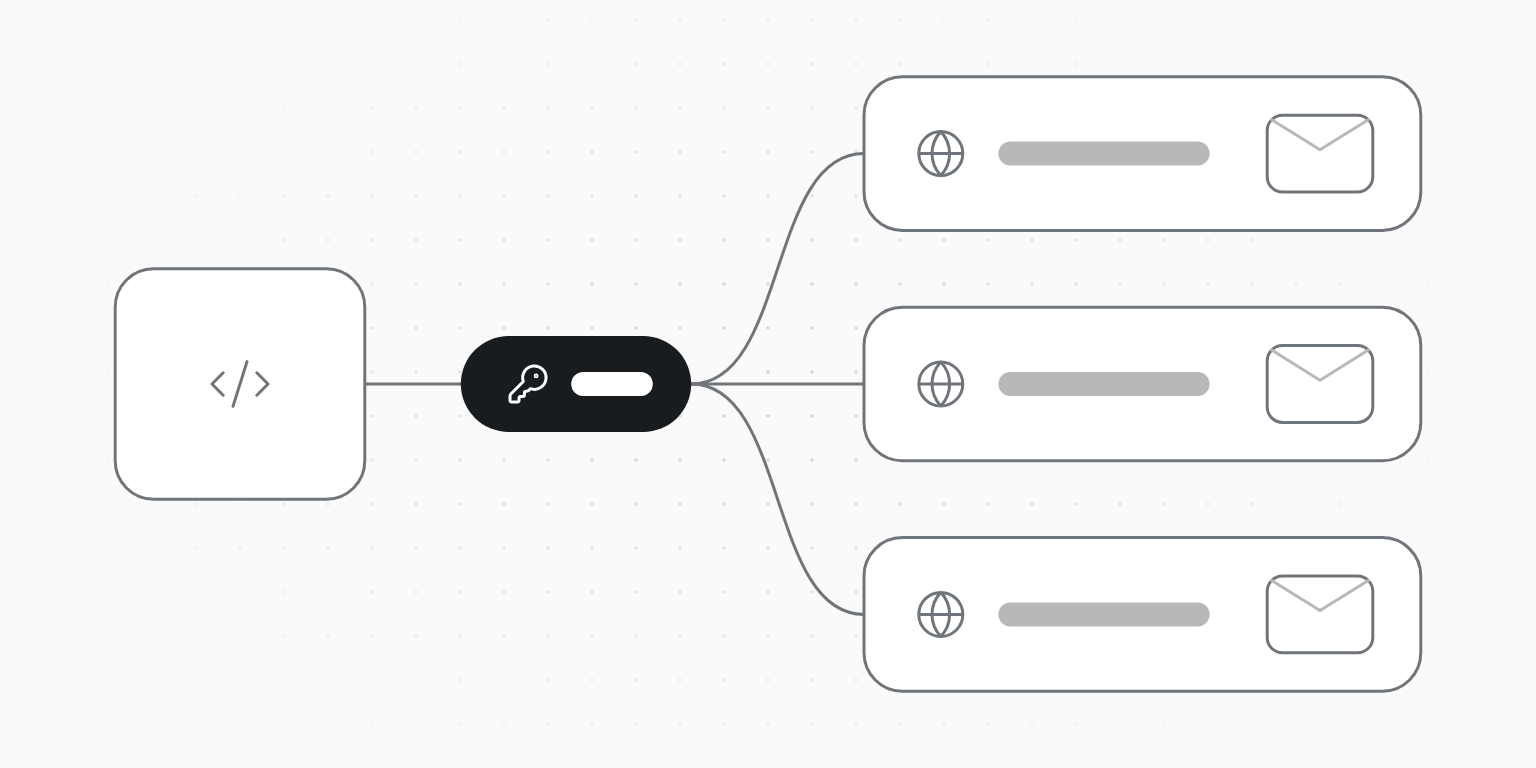
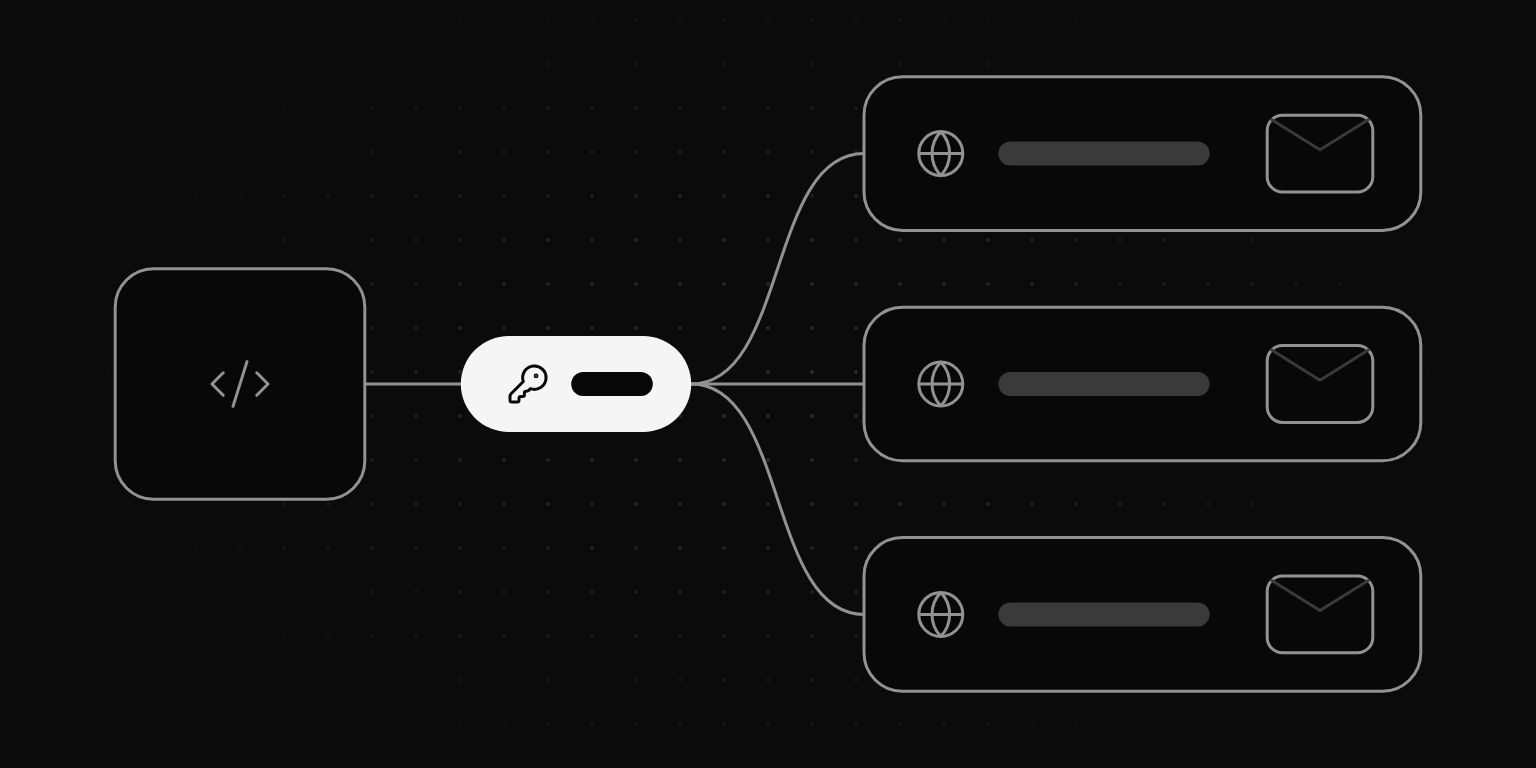
Give each customer its own workspace, the sub-account other providers call a subuser or server. It keeps that customer's domain, contacts, suppression list, keys and usage apart, so one customer's bounces never block another's receipts. On Unitpost an organization key creates the workspace with your own customer id, mints a key that reaches only it, sends every workspace's events to one webhook and reports usage per workspace for rebilling.
Unitpost ·
A SaaS product that sends email or texts for its customers is a multi-tenant sender: one integration, many businesses behind it. The easy start is one account with one key. It works until the first customer uploads a bad list.
Why not send everything from one account?
On a single account, everything your customers do is pooled:
- One suppression list. An address that complained about customer A's newsletter is blocked for customer B's password resets.
- One reputation. Mailbox providers and the sending service judge the account by its bounce and complaint rates, so one careless customer can slow everyone's mail, or get the whole account paused.
- One rate limit and one bill. A customer's burst slows the others, and you can't tell from the invoice who sent what.
- One place to leak. A key that can send for every customer is a key that can send as any of them.
What does a workspace per customer give you?
A workspace is where mail is sent from. Giving each customer one keeps apart:
- domains: each customer verifies its own, with its own DNS records;
- contacts, segments and the suppression list;
- API keys that reach that workspace and nothing else;
- templates, webhooks, numbers and SMS consent records;
- plan, usage and limits, and any pause or suspension.
The organization above them holds what's shared: the people who run your platform, the card, and the keys that create workspaces.
How do you set it up by API?
- Ask for API access. On Organization → API, request access; Unitpost approves each organization. An Owner then makes an organization key (
ok_live_…) and sets its rules: which plans it may pick, the highest price and how many new workspaces a month. - Create a workspace when a customer signs up, with your own id for them:
curl -X POST https://www.unitpost.com/api/v1/organizations/$ORG_ID/workspaces \
  -H "Authorization: Bearer $UNITPOST_ORG_KEY" \
  -H "Idempotency-Key: create-cust_8421" \
  -H "Content-Type: application/json" \
-d '{"name": "Acme Dental", "external_id": "cust_8421"}'- Mint a workspace key with
POST …/workspaces/{workspace_id}/api-keysand store it with the customer. It reaches only that workspace and is shown once. - Add the customer's domain with that key (
POST /email/domains) and show them the DNS records it returns. The domain checker tells them what's missing. - Register one organization webhook (up to five) instead of one endpoint per customer. Each delivery names the
workspace_idand yourexternal_id, so you route it straight to the right customer. - Read usage per workspace (
GET /organizations/{id}/usage) each period and bill each customer by itsexternal_id.
Every step is also an MCP tool and a CLI command, so an agent with the organization key can run the setup (what an agent can do).
Whose domain should the mail come from?
- Your domain (
notifications@yourapp.com): no setup for customers, but every customer shares your name and your domain's reputation. Fine for system mail about your own product. - The customer's own domain (
hello@acmedental.com): mail that looks like theirs and builds their reputation, not yours. They add a few DNS records once. Use this for anything their own customers receive. - A subdomain of yours per customer (
acme.mail.yourapp.com): a middle ground when customers can't touch DNS, but replies and brand recognition suffer.
Whichever you pick, the From domain has to be the one the workspace verified, so SPF, DKIM and DMARC line up.
What changes for SMS?
In the US, every business texts under its own registered brand. You can't register your platform once and text for all your customers: each one needs its brand, a use case that matches what it sends, and its own number. Opt-outs belong to that sender too.
A workspace per customer gives each one that: its own brand, number, consent records and STOP list. The brand, the use case and the 10DLC or toll-free registration can all be filed by API, with the price quoted before anything is bought and a monthly cap on what a key may spend (SMS setup by API).
How do you bill customers for what they send?
Pick per workspace: the customer pays for its own plan, your organization's card pays for each workspace's plan, or, on request, several workspaces share one plan's allowance. The organizations guide compares the three. Whichever you choose, the usage endpoint gives each workspace's sends, SMS and spend for its own billing period, keyed by your external_id, so rebilling doesn't need a spreadsheet.
What stays with a person?
Approving API access, adding a card, buying the shared plan, making the organization key and inviting people all happen in the dashboard. The day-to-day work (creating workspaces, keys, domains, webhooks and sends) is the API's.